
Coval AI is a strong simulation-first platform for testing voice and chat agents. It’s popular with teams that want to “test before you ship” and catch regressions early.
But since you’re here looking for Coval AI alternatives, it could be for any of these common reasons that apply to most such platforms:
- The QA scores can feel noisy. You get false alarms, or the tool misses real issues, so you stop trusting it.
- Your test cases look good on paper, but real calls are messy. And the tool doesn’t always catch what breaks in production.
- When something goes wrong, you want faster answers on what broke. Was it STT, latency, the model, or a tool/API call?
- You want clearer pricing and packaging, and one that falls under your budget.
This guide is built for both buyers:
- Operators deploying voice agents (support, sales, scheduling, inbound/outbound).
- Builders shipping voice stacks (Voice AI platforms, agencies).
Let’s dive right in!
Top 6 Coval AI Alternatives in 2026 (At A Glance)
| Tool | Best fit for | What you'll like | Watch-outs |
| ReachAll | If you want a full-stack platform with QA + control layer and an option to go fully managed | A full-stack platform; Voice agent + monitoring + QA in one system, reliability loop built around real production calls, option to run it hands-off | If you only want a standalone evaluation layer to bolt onto an existing stack, this can be more platform than necessary |
| Cekura | If you want broader automated QA coverage and lots of scenario-based simulations | Strong simulation and automated QA approach across many conversational scenarios, helpful for expanding test breadth quickly | Voice-specific depth depends on how your voice stack is instrumented; may not be the best “voice-only ops” tool |
| Hamming AI | If you need scenario generation, safety/compliance checks, and repeatable evals | End-to-end testing for voice and chat agents with scenario generation, production call replay, and a metrics-heavy QA workflow | You still own ops and fix workflow |
| Roark | If you care about audio-native realism and production replay | Deep focus on testing + monitoring voice calls, including real-world call replay | More “QA platform” than “ops + managed execution” |
| Bluejay | If your pain is coverage and you want lots of scenarios/variables fast | Scenario generation from agent + customer data, lots of variables, A/B testing + red teaming, and team notifications | Can feel like a testing lab if you want “operational control” |
| SuperBryn | If you want a lighter-weight eval/monitoring workflow | Voice AI evals + observability with a strong “production-first” angle (including tracing across STT → LLM → TTS) | Less public clarity on voice-specific depth vs others |
Top 6 Coval AI Alternatives in 2026 (Deep Dives)
Find out the right fit for you below:
1) ReachAll: Best for teams who want an all-in-one setup; a full-stack Voice AI + QA with control layer
Most teams don’t actually have a “voice AI problem.” They have a production reliability problem: agents behave in demos, then break when accents vary, users interrupt, call audio gets noisy, and edge cases show up.
ReachAll is built for that reality — it evaluates every conversation, pinpoints what failed across STT, LLM, and TTS, and closes the loop with tested fixes and governance controls.
It’s also a full-stack Voice AI platform that offers a Voice AI agent + QA stack, so if you’re tired of switching between tools, ReachAll is the one-stop solution.
Key features that matter for Voice AI Monitoring
- Deployed-agent QA + observability: evals on production calls, monitoring across STT/LLM/TTS, and alerts when quality dips.
- Control-loop approach: detect, diagnose root cause, propose fixes, and validate changes against tests before rollout (useful when your biggest pain is slow iteration)
- All-in-one stack: Get ReachAll voice agent + QA, or integrate with your existing voice stack as a QA + governance layer.
Why ReachAll stands out vs Coval AI?
- You get root cause, not just a score.
ReachAll offers QA + Governance stack around tracing failures across the full pipeline (STT, LLM, TTS) and pinpointing where the breakdown happened, so you’re not guessing what to change. - It’s designed to help you fix issues safely, not just find them.
The promise is detect → diagnose → propose fixes → validate against test suites → deploy without regressions. That “tested fixes” loop is the main difference versus tools that stop at evaluation and monitoring. - It treats QA as an operating system for production, not a periodic audit.
It’s conducts continuous evaluation on real traffic, with observability, alerting, and governance controls running all the time, so reliability becomes part of daily ops. - You can run it across your stack, not only inside one voice platform.
ReachAll’s QA + Governance layer can sit across STT/LLM/TTS components and work even if you run another production voice stack. That matters if you don’t want to swap your whole stack just to get better monitoring. - If your bottleneck is ops bandwidth, ReachAll is built to be hands-off.
They “build, test, deploy, evaluate, fix, scale” with no engineering overhead. That’s a real differentiator if you’re tired of stitching together tools and staffing QA manually.
If Coval AI is helping you measure agent quality, ReachAll is trying to help you operate agent quality in production, with a loop that can actually push improvements without breaking working flows.
Best for
- Teams who want to stop treating QA as a separate project and make reliability part of daily operations
- Businesses that cannot afford missed calls, broken booking flows, or silent failures
- Builders/partners who want to offer “reliability as a feature” to their own customers
Pros and Cons
| PROS | CONS |
| Strong fit when you care about production reliability and continuous improvement loops | It’s a bigger platform decision as it is more than a “QA add-on.” |
| Reduces tool sprawl because monitoring and QA live with the voice system | |
| Option to run it hands-off with a managed approach (useful when you don’t want to staff Voice AI QA) |
Book a Demo
2) Cekura: Best for heavy simulation and scenario generation
Cekura is built around automated QA: simulate scenarios, evaluate performance, and monitor production conversations so you can ship faster and catch failures before they become user-facing issues.
It’s a strong option when your main pain is coverage (too many edge cases to manually test), and you want a repeatable test-and-monitor workflow.
Key features that matter for Voice AI Monitoring
- Automated scenario generation for wide coverage.
- Simulation-driven QA to stress the agent before production.
- Monitoring and testing aimed at catching issues across varied interactions.
Best for
- Teams that want more synthetic test coverage than their current setup provides.
- Voice AI builders who need stress tests and a broad scenario library mindset.
Pros and Cons
| PROS | CONS |
| Strong simulation focus for catching edge cases early | Depth of governance workflows varies by implementation needs |
| Helpful for stress testing and breadth | |
| Works across voice and chat |
3) Hamming AI: Best for repeatable testing, scenario coverage, and compliance-minded QA
Hamming is built as an “all-in-one” QA platform spanning repeatable testing, scenario coverage, call analytics, monitoring, and compliance workflows.
If your org has a strong QA/compliance mandate and needs structured reporting and governance, Hamming AI is designed to fit that buying journey.
Key features that matter for Voice AI Monitoring
- Scenario-based testing and repeatable eval workflows
- Voice-agent metrics to track quality and stability over time
- Compliance and safety framing (helpful for regulated or high-risk call flows)
Best for
- Teams that want structured testing discipline and clear pass/fail gates
- Voice AI Builders who need to ship changes without breaking production
Pros and Cons
| PROS | CONS |
| Strong testing workflow for voice agent reliability over time | Like most eval tools, it won’t replace the engineering work of fixing prompts, tools, and flows |
| Helps standardize QA so you’re not manually sampling calls | If your primary pain is “fix loop speed,” you may want a platform with stronger control loops |
| Good for teams that want compliance-oriented checks |
4) Roark: Best for replay-based debugging and turning failed calls into test cases
Roark leans into fast setup and native integrations. If you’re building on popular voice stacks and want to instrument calls quickly, replay behavior, and iterate, Roark is optimized for that workflow.
Key features that matter for Voice AI Monitoring
- Voice-agent testing + monitoring workflows designed around real calls (not just toy prompts)
- Replay-driven debugging for catching regressions in real conversations
- Focus on metrics that matter for voice, not generic chat-only evaluation
Best for
- Voice teams that ship fast and need high-confidence regression coverage
- Products where tone, barge-in, interruptions, and pacing materially affect conversion/support outcomes
Pros and Cons
| PROS | CONS |
| Good fit when you care about voice realism and production replay as the source of truth | Less compelling if you want a fully managed ops layer |
| Helps teams move beyond “text-only evals” that miss voice failure modes | May require more setup work than “business user” teams want |
| Strong match for engineering teams building voice at speed |
5) Bluejay: Best for end-to-end testing with real-time explainability plus human insight (voice + chat)
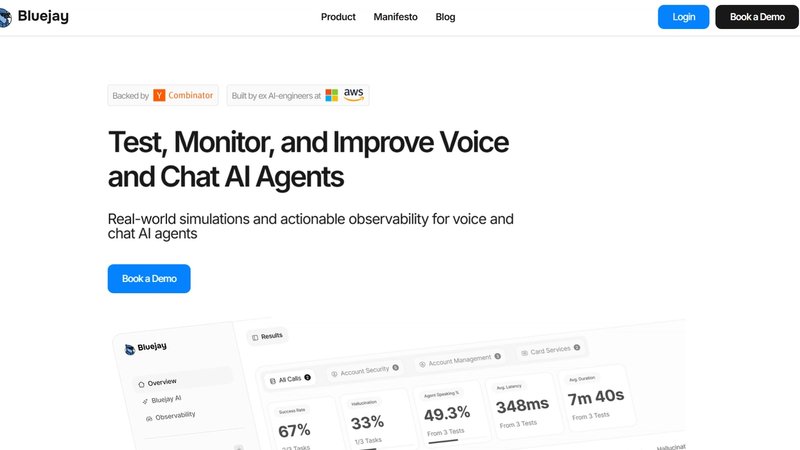
Bluejay is best for high-volume scenario generation and making agents measurable and explainable in real time, with a blend of technical evaluations and human insight.
If your pain is “we don’t know why quality is inconsistent,” Bluejay’s framing is aligned with diagnosis and improvement.
Key features that matter for voice AI monitoring
- System observability and quality metrics surfaced in real time
- Simulation-heavy testing story (pre-release coverage)
- Human + technical evaluation mix (helpful when metrics alone miss nuance)
Best for
- Teams that want an explainability layer (not just pass/fail tests)
- Teams that need a stronger quality narrative for stakeholders beyond engineering
Pros and Cons
| PROS | CONS |
| Strong “measurable + explainable” orientation | Can feel like a testing lab if your pain is operational ownership and rapid remediation |
| Good fit when human insight is needed alongside metrics | If you want voice agent + QA in one system, you may prefer an all-in-one platform |
| Simulation story supports pre-release confidence |
6) SuperBryn: Best for teams that want a simpler evaluation loop without heavy infra
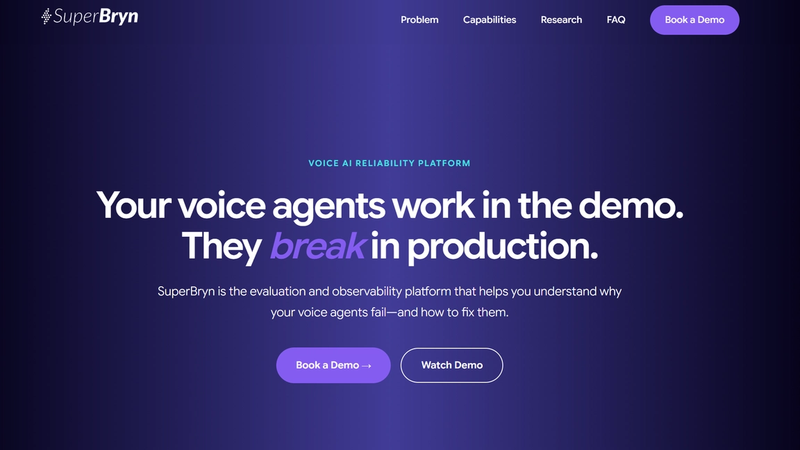
SuperBryn is built around a blunt truth: production breaks silently. It focuses on evaluation and observability to help teams understand why voice agents fail in real usage and what to fix next, without the burden of heavy infra.
Key features that matter for voice AI monitoring
- Lightweight evaluation/monitoring workflow that reduces time-to-first-signal
- Useful when you want to start with a practical QA loop and expand later
Best for
- Smaller teams, agencies, or internal voice projects that need a fast start
- Teams that want a simpler operational workflow before adding complexity
Pros and Cons
| PROS | CONS |
| Lower operational burden to get started | May not satisfy advanced enterprise governance requirements |
| Good “first QA loop” for teams new to voice monitoring | You may outgrow it if you need deep pipeline-level root cause tooling |
| Useful for teams that value simplicity over maximal feature depth |
Conclusion
If you’re evaluating Coval AI alternatives, don’t make it a feature checklist exercise. Make it a bottleneck exercise.
- If your bottleneck is operational reliability and fast fix loops, ReachAll is the #1 pick because it’s built around deployed voice reliability, not just evaluation.
- If your bottleneck is test coverage and regression discipline, Bluejay and Hamming AI are strong.
- If your bottleneck is voice realism and production replay, Roark is a serious contender.
And if you want an all-in-one setup (Voice AI + QA + Monitoring) so you’re not jumping between tools, ReachAll can help you deploy the voice agent, then monitor and control quality after you go live, so every call stays on-brand and reliable.
Frequently Asked Questions (FAQs)
1) What’s the difference between voice agent testing and voice agent monitoring?
Testing is what you do before you ship changes. You run scenarios and regression checks to catch breakage early. Monitoring is what you do after you go live, so you can see what is happening on real calls and spot issues fast.
2) What metrics should you track for a voice agent?
Track both technical quality and business outcomes. A solid baseline is goal completion, tool-call success, fallback rate, latency, hang-ups, escalation rate, and ASR accuracy. If you only track “QA scores,” you will miss why users are failing.
3) What is WER, and why should you care?
WER (word error rate) tells you how often speech-to-text gets words wrong. If WER is high, everything downstream gets harder because the model is reasoning over bad inputs. You do not need perfect WER, but you want to know when ASR noise is the real reason your agent looks “dumb.”
4) What is “barge-in,” and why does it matter in monitoring?
Barge-in is when a caller interrupts while your agent is speaking. If your system handles it badly, you get talk-over, missed intent, and broken turn-taking, which hurts conversion and CSAT fast. Make sure your monitoring can flag interruptions and talk-over patterns, not just transcript quality.
5) Can these tools pinpoint what failed in the voice pipeline (STT vs LLM vs TTS vs tool calls)?
Some can, some cannot. In demos, ask to see step-level traces: ASR output quality, tool-call success, TTS playback, and latency breakdown. If a vendor can’t show this clearly, you will spend time guessing.
ReachAll can trace failures across STT, LLM, and TTS in its QA/Governance materials.
6) Are LLM-based “auto evaluators” reliable, or do you still need human QA?
LLM judges can scale your QA, but they can also be inconsistent or biased depending on the prompt and the judge model. For high-stakes flows, keep a human review lane for disputed or high-impact failures, and treat automated scores as decision support, not absolute truth.
7) What security and enterprise controls should you ask for in any voice QA platform?
Ask for SSO (SAML or OIDC), role-based access control, audit logs, data retention controls, and deletion workflows. You want tight access control because audio and transcripts can contain sensitive info.
ReachAll has RBAC + SSO/OAuth, and also describes encryption, logging/audit trails, and retention/deletion controls in its policy docs.
8) SOC 2 Type I vs SOC 2 Type II: which one should you care about?
Type I checks whether controls are designed correctly at a point in time. Type II checks whether those controls actually operate effectively over a period of time. If you are buying for enterprise, Type II is usually the stronger signal.
In case of ReachAll, customers can request its SOC 2 report under NDA.
9) What does ISO 27001 actually mean?
ISO/IEC 27001 is a standard for running an information security management system (ISMS). If a vendor is certified, it means they went through an audit against that standard. Still ask what parts of the org and product the certification covers. ReachAll has ISO compliance/certification.
10) When do you need a HIPAA BAA from a vendor?
If your calls include PHI and you are a HIPAA covered entity (or working with one), you typically want a vendor willing to sign a business associate agreement (BAA). Ask for their BAA template early, not after procurement starts.
ReachAll will process PHI only after both parties execute a BAA.
11) What should you ask about GDPR and data retention for call audio and transcripts?
First, confirm what the vendor counts as “personal data” and what they store (audio, transcripts, metadata). Then ask about retention defaults, deletion SLAs, and how you can minimize stored data. GDPR applies when you process personal data, so retention controls matter.
ReachAll publishes a DPA, and its privacy policy describes retention defaults and deletion/export options.
12) How do you choose the right tool without getting stuck in “another dashboard”?
Pick based on your bottleneck: coverage (more scenarios), root-cause speed (pipeline traces), or fix-loop speed (alerts plus a path to remediation). If your bigger pain is operational reliability after go-live, it can be simpler to choose an all-in-one setup that can deploy the agent, then continuously monitor and drive fixes, not just score calls.
You can check out ReachAll, which is a full-stack Voice AI + QA + Monitoring platform.